#> Loading required package: floodam.building
library(floodam.building)

#> set up model to use example shipped with floodam
model_path = list(
  data = system.file("extdata", package = "floodam.building"),
  output = tempdir()
)
Hydraulic functionalities
2026-02-12
This vignette is mostly a showcase of what parameters you can change in analyse_hydraulic() and how they affect the simulations.
Set up
The set up is pretty much the same from the previous vignette. For this vignette we will use the simple model adu_t and a simple limnigraph where the flood impacts all walls.
model = analyse_model(
  model = "adu_t",
  type = "adu",
  stage = c("load", "extract", "hydraulic"),
  verbose = FALSE,
  path = model_path
)Changing parameters
There are mainly two types of parameters:
- Some are tied to the state of the building (e.g. opening scenario, clearances, discharge coefficient…)
- Some other are more specific to the flood event (e.g. exposition, water level outside…)
It doesn’t change the way you can adjust the parameters but it is good pratice to keep your scenario in mind while reading the results.
Below is the list of all the main parameters you can interact with. If you are missing something you can always check the documentation inside the library.
Opening scenarios
All openings are in a certain state, could be open or closed. We propose three differents scenarios:
- All openings open
- All openings closed but not waterproof
- All exterior openings closed and all interior openings open
Open
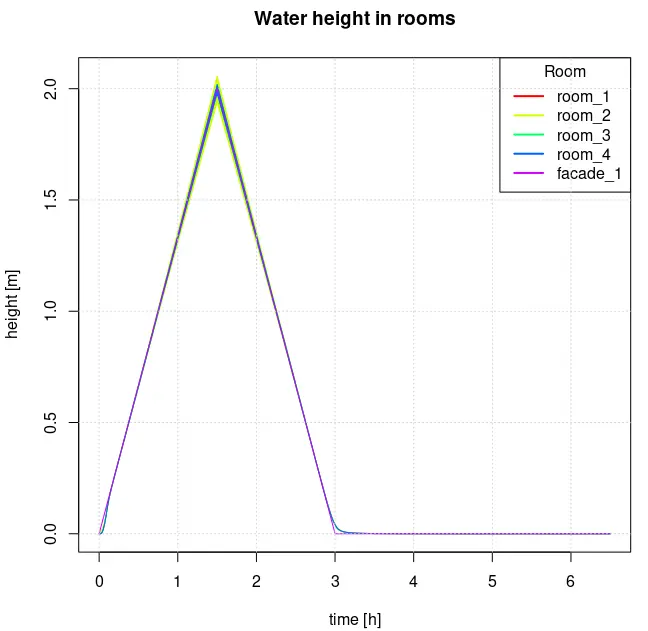
The water level inside follows the water level outside as expected.
hydraulics = analyse_hydraulic(
  model = model,
  limnigraph = flood,
  opening_scenario = "open",
  stage = c("hydraulic", "display")
)
Close
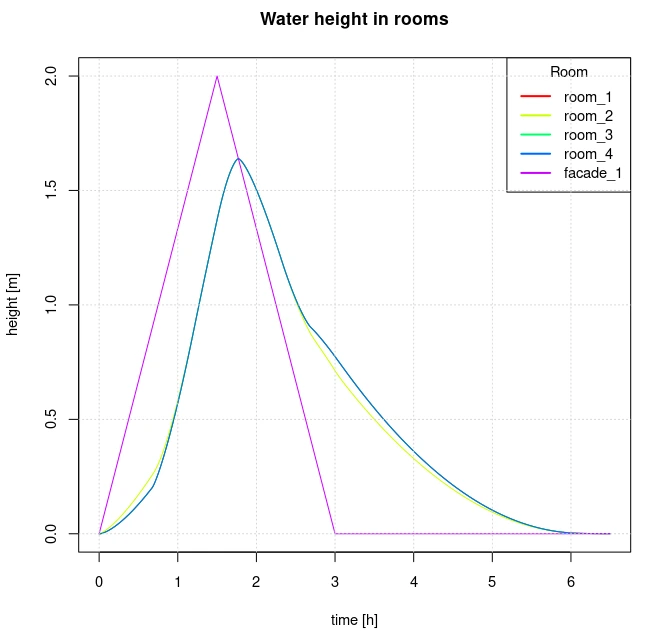
The water flow is hindered by the doors and windows, but the water level inside is heavily influenced by how waterproof the openings are.
hydraulics = analyse_hydraulic(
  model = model,
  limnigraph = flood,
  opening_scenario = "close",
  stage = c("hydraulic", "display")
)
Combine
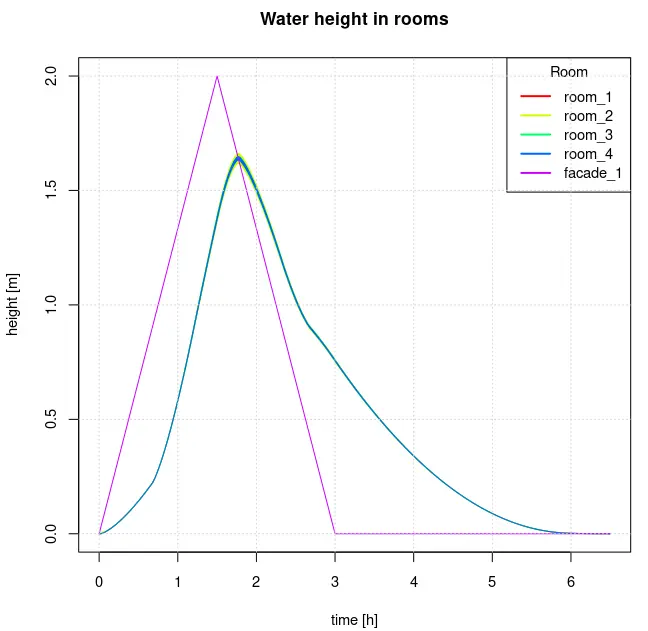
The water level is more balanced inside than the close scenario.
hydraulics = analyse_hydraulic(
  model = model,
  limnigraph = flood,
  opening_scenario = "combine",
  stage = c("hydraulic", "display")
)
Discharge coefficient
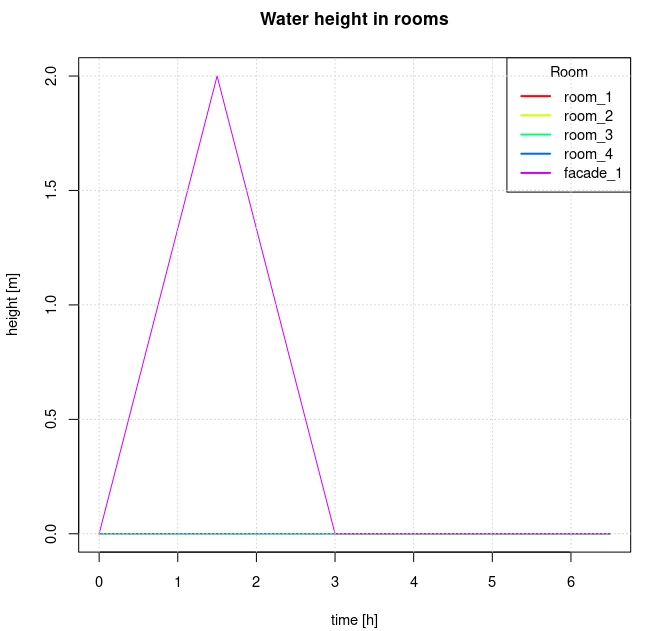
Cd represents the discharge coefficient, it is a constant tied to the dimensions of the opening. For standard-sized doors and windows it is recommended to use a Cd of 0.42. Reducing this constant increases the roughness and thus reduces the flow.
hydraulics = analyse_hydraulic(
  model = model,
  limnigraph = flood,
  opening_scenario = "close",
  Cd = 0.0,
  stage = c("hydraulic", "display")
)
Clearance around the opening
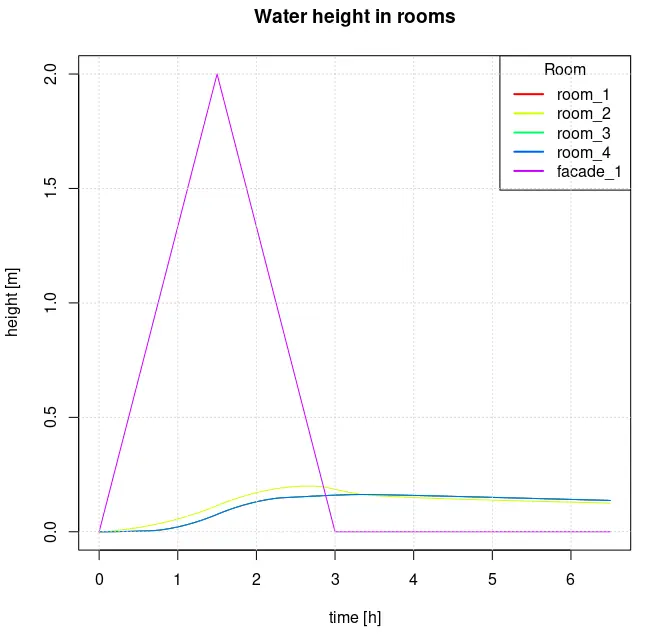
It represents how waterproof an opening is. It is a highly sensitive parameter that is difficult to estimate. It is represented by the distance between the edge of the opening and the frame when a small amount of water passes underneath or on the side of the opening. For standard doors and windows, a clearance of 0.3 cm (under and on the side) is recommended. For example when it is set to 0.01 cm, barely any water can go through. We will disable the opening collapse possibility to hightlight the clearance effects.
hydraulics = analyse_hydraulic(
  model = model,
  limnigraph = flood,
  opening_scenario = "close",
  clearance = c(under = 0.01, side = 0.02),
  height_break = Inf,
  stage = c("hydraulic", "display")
)
Openings failure
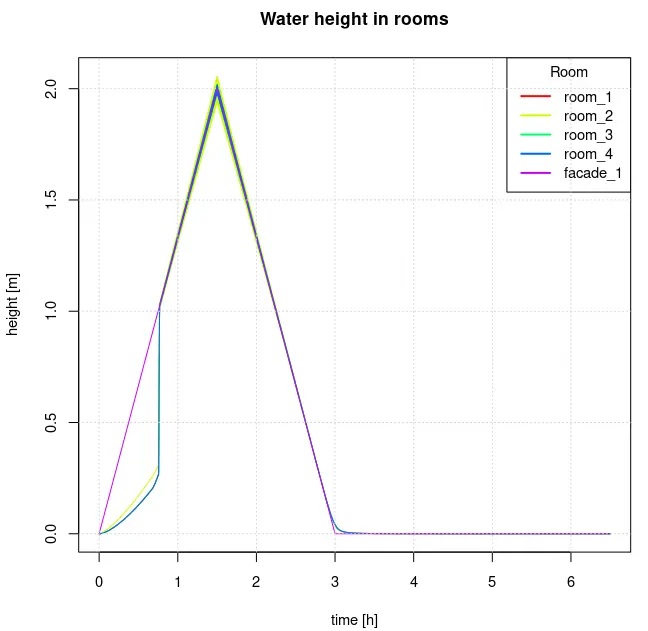
For a standard opening it is assumed that differential water height of 1m can break it. However, you may want to lower it if the door is fragile or increase it to Inf if the door is highly resistant.
hydraulics = analyse_hydraulic(
  model = model,
  limnigraph = flood,
  opening_scenario = "close",
  height_break = 0.6,
  stage = c("hydraulic", "display")
)
Other parameters
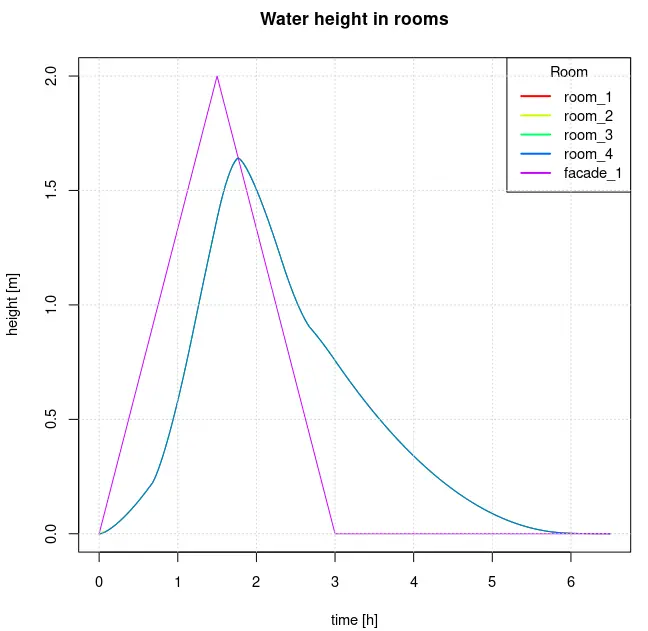
You may encounter oscillations during some of your simulations. Don’t worry, this is mainly because the water flow is low at certain points, which means that the flow equations can lose some precision. You can lower the time step dt_max to increase the accuracy (be careful as this also increases computation time). We don’t recommend to set this parameter higher than 0.5 for most cases as it can lead to overestimation of damage.
hydraulics = analyse_hydraulic(
  model = model,
  limnigraph = flood,
  opening_scenario = "combine",
  dt_max = 0.1,
  stage = c("hydraulic", "display")
)
Other parameters may be implemented in the future, as floodam.building is constantly evolving. Please check the documentation for a more detailed description of the parameters.